
How to Choose a Pokemon Scanner Without Trusting Asking Prices
Comparison gap: pokemon scanner

Which Pokemon scanner fits which job
A pokemon scanner that reads a card from your phone camera and shows what it actually sold for fits reselling. A collection tracker or price database fits keeping count of what you own, and the two jobs often need different tools.
I built Underpriced AI, so weigh my opinions accordingly. I have tried to keep the table to facts you can check yourself.
Comparison table
I could not re-check every competitor on its own page for this post. Cells that say "not verified" are facts I would rather leave open than guess.
| Tool | Identifies from a photo | Prices from | Price | Platform | Checked on, source |
|---|---|---|---|---|---|
| Underpriced AI | Yes, scan with your phone camera | Real sold listings across marketplaces, which you can open | First scan free; scan packs from $3 for 5; plans from $5 a month (30 scans) | Web, iOS, Android | Own product, see the Pricing page |
| pricesnap.ai | Not verified | Not verified | Not verified | Not verified | Not yet checked, pricesnap.ai |
| TCGplayer | Photo scan not verified | Its own marketplace listings and sales (exact method not verified) | Not verified | Not verified | Not yet checked, tcgplayer.com |
| PriceCharting | Photo scan not verified | A database of past sales (exact sources not verified) | Not verified | Not verified | Not yet checked, pricecharting.com |
Before you pay for any of them, open the linked page and confirm the price and platform yourself.
Underpriced AI
Underpriced AI identifies the card from a photo, then shows the sold listings behind the number. That last part matters for Pokemon. The same name can be a card worth a few hundred dollars or tens of thousands, depending on edition, grade and condition. A number with no listings behind it hides which of those it is quoting.
The first scan on a new account is free, and that is one scan, not a trial. After that, scan packs start at $3 for 5 scans (60 cents each), and the 250-scan pack is $70. Plans start at $5 a month for 30 scans. For a full binder, the per-scan cost matters more than the free scan, so check the Pricing page before you plan a big session.
It falls short where any photo tool does. It cannot see surface scratches, centering or print lines from one angle, so it cannot predict a PSA grade. It fits resellers who want to price a lot and list it. If you only want to log a personal collection, it is more tool than you need.
pricesnap.ai
pricesnap.ai is the site that ranks for this search today, which is why it is in the table. I have not verified how it identifies items, where its prices come from, what it costs or which platforms it runs on. I will not guess at any of that.
What I can say is how to judge it. Ask whether the price comes from sold listings or asking prices, and whether you can open the comps. If the page does not say, test it with the five-minute method below.
TCGplayer
TCGplayer is a marketplace for trading cards, so its prices reflect its own sellers and buyers. That makes it a useful reference for raw, ungraded singles in common sets. It cannot show you what the same card sold for on eBay or Mercari, where graded cards and vintage tend to trade.
I have not verified its scanner, pricing or platform details for this post. If you mostly sell on TCGplayer itself, its prices are the ones your buyers see. If you sell across several marketplaces, treat it as one data point.
PriceCharting
PriceCharting is a price database known for tracking past sales across games and collectibles. A database can be a fast way to sanity-check a card you already identified. I have not verified its photo scanning, subscription pricing or app availability here.
The limit of any database is the match. A Pokemon card has many near-twins: shadowless versus unlimited, holo versus reverse holo, first edition stamps. If you pick the wrong entry, you get a confident wrong price. For more options in this category, see PriceCharting alternatives for resellers.
How to test any pokemon scanner in five minutes
Use one card you know the answer to, ideally one you sold in the last month. A known result is the only honest benchmark.
- Photograph the card flat, in even light, front only.
- Check the name, set and card number (the number like 4/102 printed near the bottom). A wrong set means the price is meaningless.
- Look for the source of the price. You want sold listings you can open, not "market value" with no listings behind it.
- Compare condition. A near-mint raw card and a PSA 9 slab are different markets, and the tool should keep them apart.
- Time it. If one scan takes longer than finding the card by hand, it will not survive a 200-card lot.
For card values by era and edition, Pokemon Card Values 2026 lists which sets carry the money.
A binder bought for $20 at a garage sale usually holds a few cards worth real money and a hundred worth cents. A scanner earns its keep by sorting that pile quickly, so you only list the standouts and bulk the rest. For a broader look at photo-based tools, see AI pricing tools for resellers.
Common Questions
Is there a free pokemon scanner?
Every new Underpriced AI account gets one free scan, which is enough to test it on your best card. After that, scan packs start at $3 for 5 scans, and plans start at $5 a month. I have not verified the free tiers of other scanners, so check each vendor's page.
Can a pokemon scanner tell me a card's PSA grade?
No. A phone photo cannot reliably show centering, edge wear or surface scratches, which decide a grade. A scanner can identify the card and show sold prices at different grades, so you can see whether grading is worth the fee.
Why do pokemon scanners show different prices for the same card?
They draw on different data. Asking prices reflect what sellers hope to get, a single marketplace reflects its own buyers, and sold listings reflect what people actually paid. The most reliable check is a tool that lets you open the sold listings and compare condition and edition yourself.
Scan, value, and list, all in one app.
Snap a photo and see real sold prices from eBay, Poshmark and Mercari, then cross-list to all of them in a few taps. Your first scan is free.
Try a Free ScanFree first scan, no credit card required
Related value guides
Founder of Underpriced AI. Building tools for resellers with 30+ years of software engineering experience.
How this was made: drafted with AI from our own sold-listings data and the sources cited, and published by Frank for Underpriced AI. Spot something wrong? Tell us and we'll fix it.
Know a reseller who'd want this?
Related Articles


Ready to find out what your stuff is worth?
Snap a photo and see what it actually sold for, with the real sold listings behind the price. First scan free, no credit card.
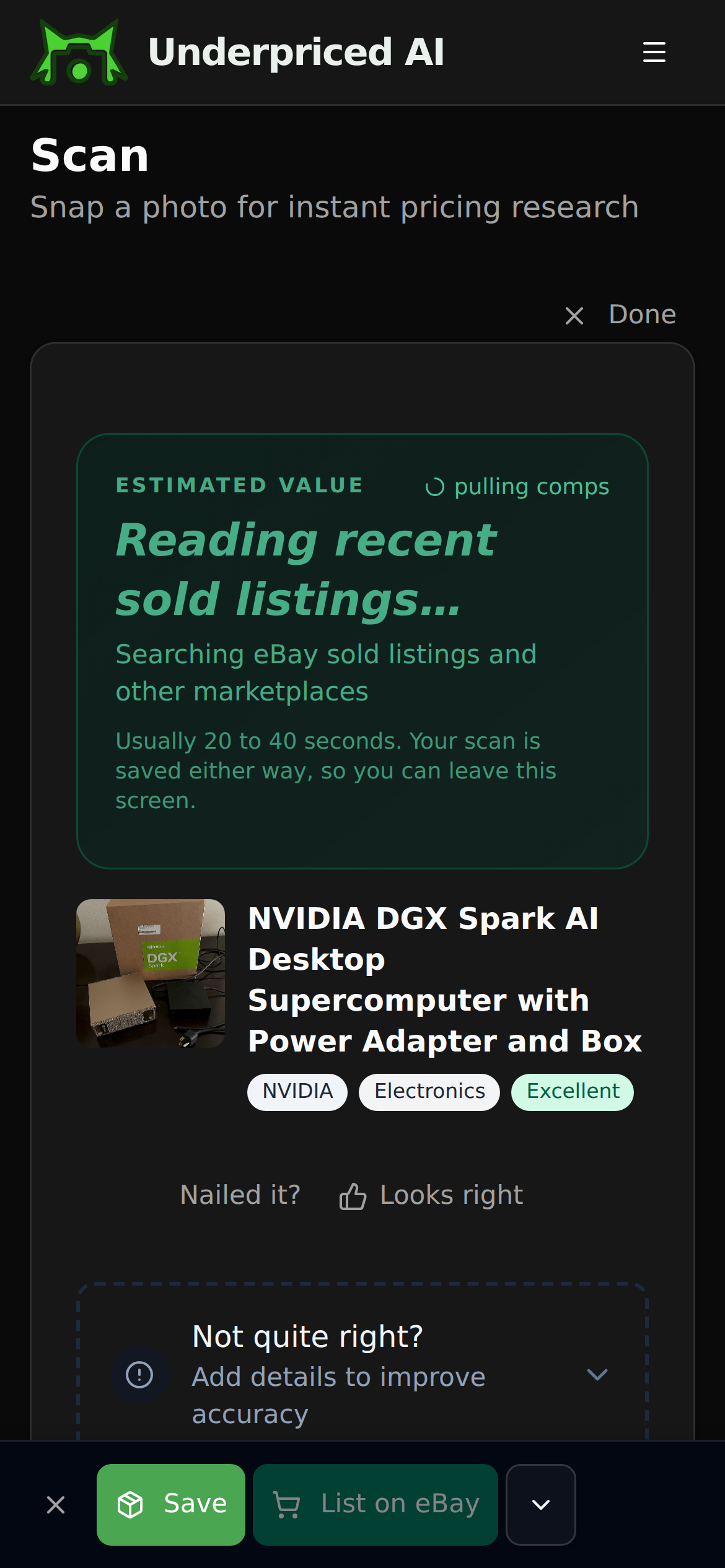
1. Photograph it
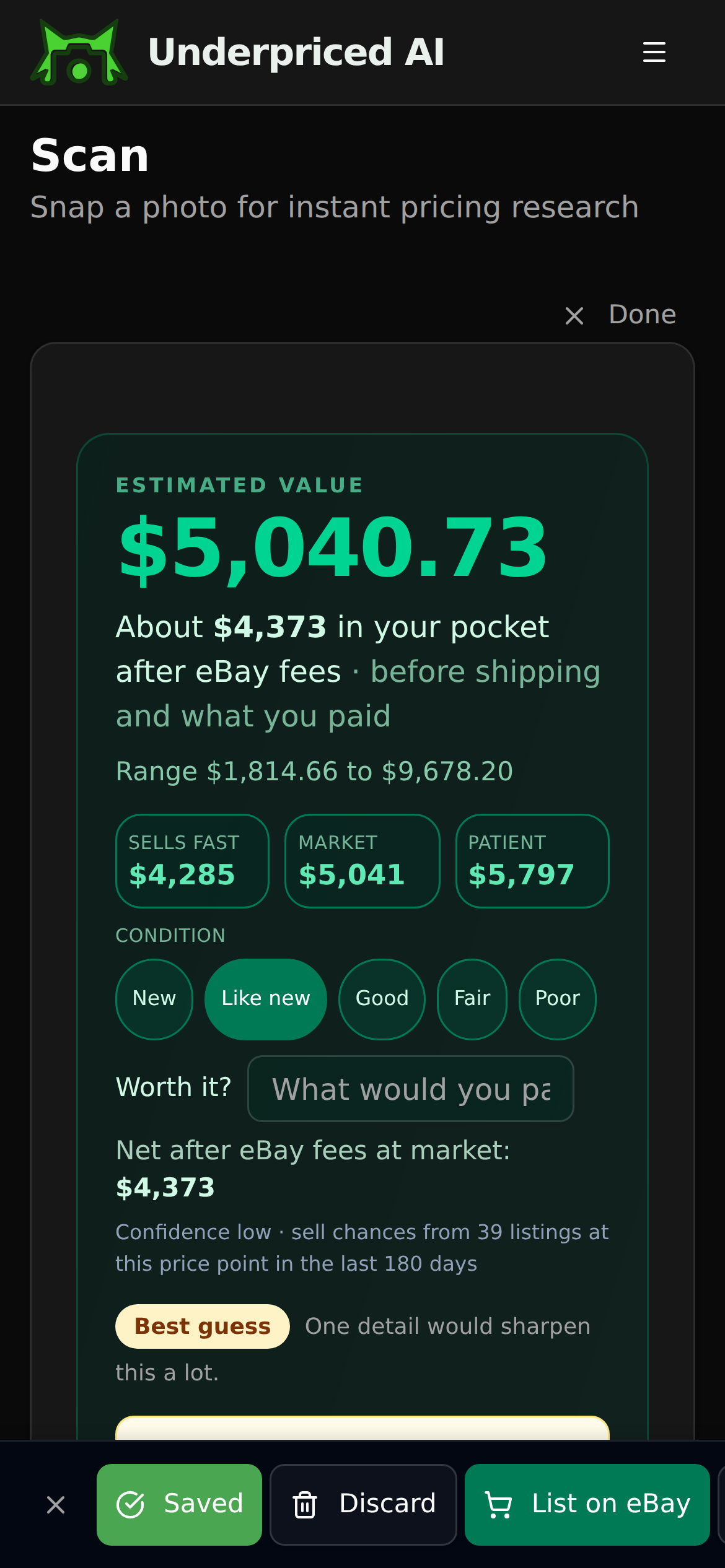
2. See what it sold for
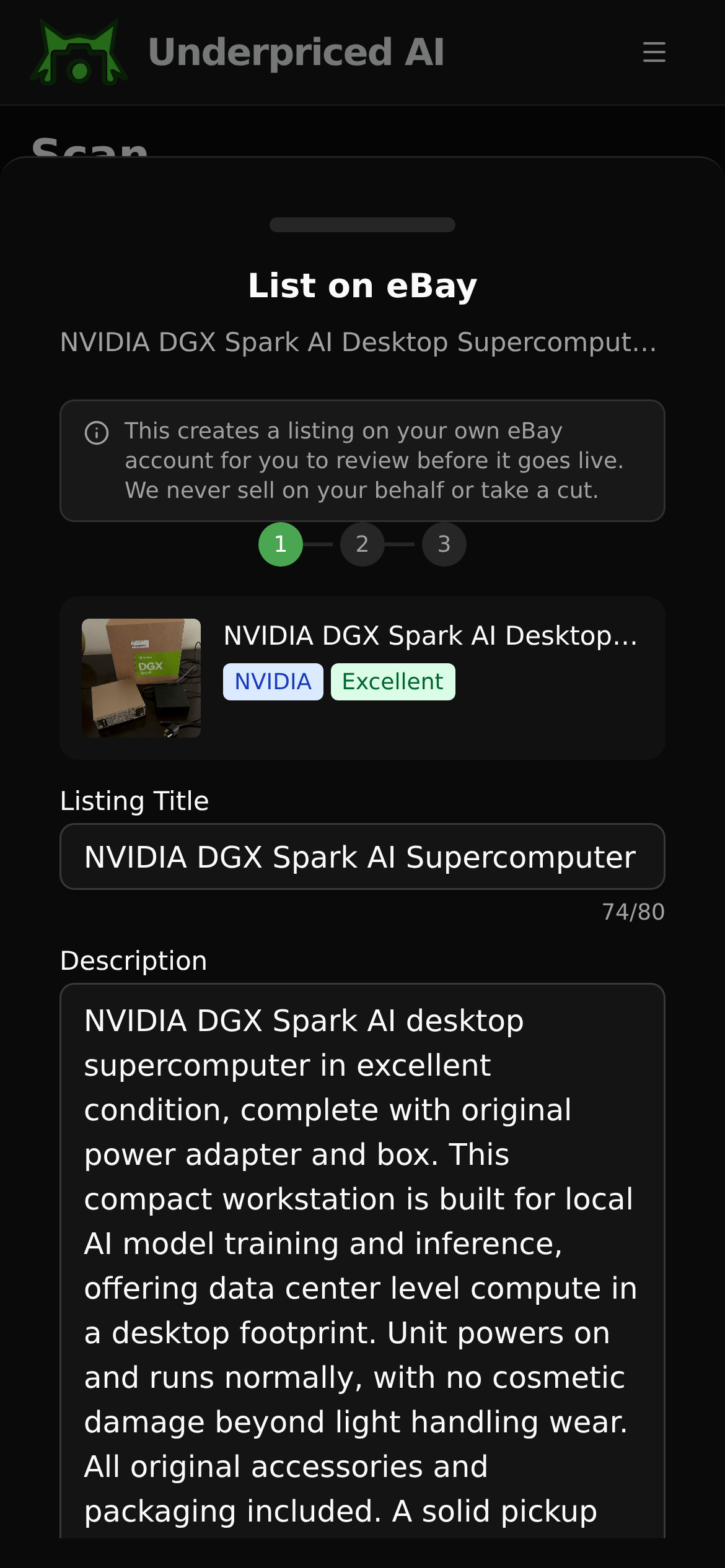
3. List it
Find our guides useful? Get more of them in Google Search.